


Craft Builder: 3D Block World
3.760.00 Reviews
App Specs
- Version
- 0.5.5
- Updated On
- License
- Free
- Downloads
- 1,000,000+
- Developer
- Coup Coup LTD
- Categories
- Simulation
- Platform
- Android
Screenshots
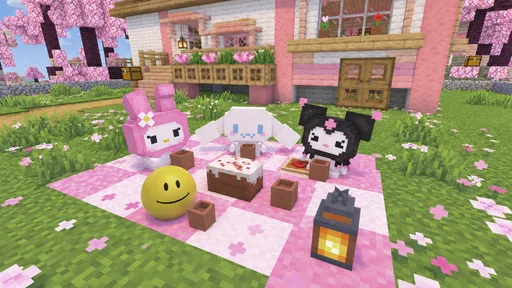
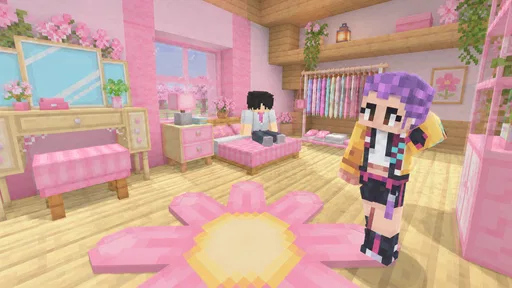
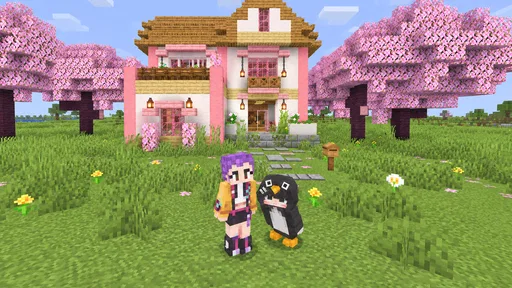
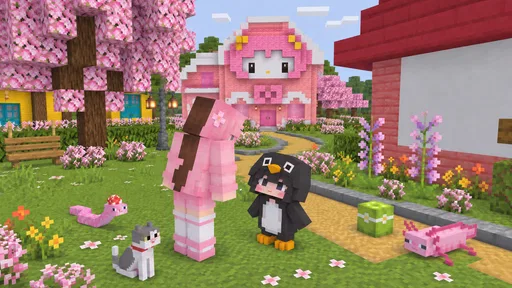
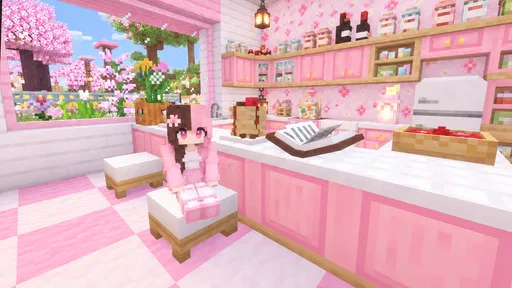
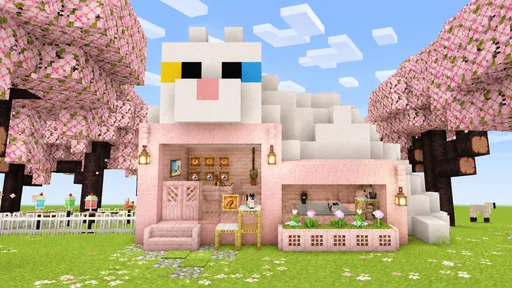
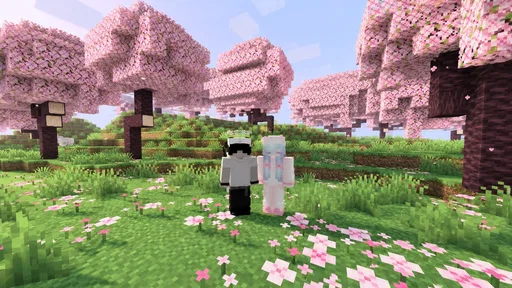
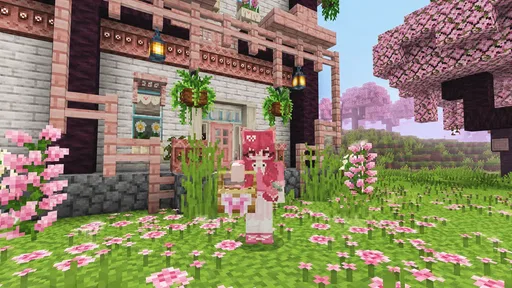
 Analysis by AppCompare
My first impression of Craft Builder: 3D Block World is that it makes a familiar promise in a simple, appealing way: give me a three-dimensional world made of blocks and let me shape it. As a free simulation game from Coup Coup LTD, it suits the kind of short, low-pressure session where I want to experiment with a space rather than follow a demanding story or compete against other players. The central pleasure is easy to understand even before you settle into a routine: look at a block-built landscape and imagine what it could become.
That straightforward premise is also the right lens for judging its staying power. A building game can be absorbing during the first burst of curiosity, but it earns a lasting place on my phone only if I keep finding reasons to return. Craft Builder is at its best when I treat it as a creative sandbox for modest, self-chosen projects. It is less compelling if I need a steady stream of goals, a deep simulation, or the sense that each session unlocks a new layer of play.
What the first sessions are good for
The early appeal comes from the freedom implied by an open three-dimensional block world. Rather than making the game’s value depend on a long setup, the idea invites immediate experimentation: choose a small structure, test a shape, and see whether the result looks the way you pictured it. For anyone who enjoys making things more than managing a complicated set of rules, that is a comfortable starting point.
I would begin with a deliberately small build instead of planning an elaborate settlement. A compact cabin, a simple lookout, or a recognizable outline is easier to judge as you work. This is a practical way to learn how the world feels without turning the first session into a test of patience. It also gives you a clear stopping point, which matters in a mobile game that works best as a relaxed break rather than a time commitment.
There is a useful distinction between the appeal of a block-building game and the appeal of a guided construction game. Here, the open-world framing points toward making your own direction the main activity. That can feel freeing if you already have an idea, but it may leave you wondering what to do next if you prefer objectives to arrive in a clear sequence. I recommend it most to players who can supply their own little challenge.
For a realistic everyday use, imagine having ten minutes between errands or winding down before bed. I would use that time to extend one wall, adjust a roofline, or sketch out the next part of a build—not to begin a sprawling project that needs a long uninterrupted session. That approach makes each visit feel complete, and it avoids the frustration of returning to a half-finished plan without remembering what you intended.
Make the first build a test, not a commitment
A small first project is more than a beginner tip; it is a way to decide whether the basic creative loop suits you. Try repeating a shape, changing its proportions, and stepping back to see whether the whole structure reads clearly. If that process is satisfying, the game has room to become a personal creative habit. If placing and revising blocks feels like work, a more guided game may fit better.
Worth Reading Before You Choose

Baby Panda World Brings Quick Play to Modern Phones, but Its Game Library Feels Busy

ESPN’s Live Game View Makes Following Close Games Easier

QuizzLand Review: A Good Fit for Short Trivia Breaks, Not Every Player

Basketball Stars: Multiplayer Is Fast, but Can It Recover When Matches Go Wrong?

WEBTOON Turns Phone Updates Into a Better Reading Routine

Link to Windows Runs on Shared Habits, Not Social Feeds
One non-obvious trade-off in open-ended building is that freedom transfers some design work to the player. You are not just constructing a building; you are also deciding what counts as a worthwhile goal. I find that easier when I choose a theme before starting—something like “a small shelter with a clear entrance”—instead of aiming vaguely to build something impressive. A specific intention can make an open sandbox feel less empty.
Keeping it worthwhile after the novelty
The long-term question is not whether a block world can entertain me once, but whether I can return without needing a new feature or external prompt every time. Craft Builder’s strongest recurring value is its potential as a place for small, personal projects. A player can return to a familiar build, revise a detail, or start over with a different idea. That kind of value is quiet: it depends on whether making and improving things is enjoyable in itself.
I would approach it as a sketchbook made of blocks. Before closing the game, decide on one concrete next step, such as finishing a roof, making an entrance more obvious, or planning a second structure. That simple habit gives the next session a starting point and prevents the common sandbox problem of opening the game, wandering around, and leaving without doing anything. It also keeps projects small enough to feel rewarding on a phone.
Players who enjoy architectural tinkering may get more from revisiting one build than from constantly starting over. Reworking proportions or improving how separate parts fit together can provide its own challenge. By contrast, if you need a catalogue of missions, character progression, or escalating objectives to motivate you, open building may lose its pull once the first creations are complete. I would not mistake that mismatch for a personal failure; it is simply a different kind of game.
The usual alternatives in this category tend to divide into two broad experiences: structured simulations that guide the player toward defined tasks, and sandbox builders that leave much of the agenda to the player. Craft Builder sits closer to the latter in its central appeal. Choose a more task-led simulation if you want clear instructions and a sense of completion handed to you. Choose this sort of block world if the satisfying part is deciding what to make and refining it at your own pace.
Build a return habit without turning it into homework
To make recurring sessions feel useful, I would keep a mental or written note of the next change rather than trying to remember a broad plan. “Make the entrance stand out” is more actionable than “continue the world.” This is especially helpful when your play sessions are scattered across the week. The trick is to preserve the pleasure of improvisation while giving yourself a reason to begin.
Another practical approach is to treat each session as a design pass. One visit can focus on the outline, another on height and shape, and another on whether the finished structure feels balanced. This is not a feature claim; it is a way of working with an open creative format. It gives a project a sense of progress without needing to assume that the game will provide a formal checklist.
That routine will not suit everyone. If you prefer a game that remembers your priorities, constantly introduces new activities, or rewards frequent check-ins, a self-directed builder can feel too quiet. Craft Builder is more attractive when you are happy to bring your own curiosity. Its value depends less on a daily streak and more on whether you occasionally want to return to a creative space.
Where the friction can accumulate
The main source of fatigue is the same thing that makes an open building game appealing: the player must create much of the momentum. A blank or loosely directed project can be relaxing when I have an idea, but it can feel aimless when I open the game without one. If you have only a few minutes and want an immediate objective, that lack of direction may be more noticeable than the creative freedom.
Another potential sticking point is the gap between imagining a polished structure and carrying out the repeated work needed to shape it. Block construction invites iteration, but iteration can become tedious if you set an ambitious target too soon. I would scale projects to the amount of time I realistically have. A compact build with one memorable detail is often more satisfying than a grand plan that remains unfinished.
There is also a difference between novelty and a lasting creative loop. The first few sessions may feel fresh simply because the world is new and possibilities seem broad. Later, the question becomes whether you enjoy refining a design after the initial excitement settles. If your interest depends on constant novelty, the game may have a shorter useful life for you than a simulation with varied tasks or a builder with stronger goal-setting.
As for ongoing effort, I would keep the game only if its open-ended play fits naturally into my downtime. It does not need to become a project I maintain every day. A relaxed return now and then can be enough, especially if you leave yourself a small next step. If you feel obliged to keep a large world organized or to finish a build you no longer care about, scale back or start with a fresh, simpler idea instead.
The game is free, which makes it easy to try without a purchase decision hanging over the first session. Its audience is broad: it has an Everyone age rating, and the audience response averages 3.7 from around 1,800 ratings. Those figures are useful context, but they do not tell me whether the open-ended style will match your taste. The more important test is whether you enjoy inventing your own building goals.
Who should give it space—and who should move on
I would recommend giving it a try if you like block-based creativity, prefer self-directed play, and want a simulation that can be approached in short bursts. It may also work for someone who enjoys visual problem-solving: deciding how to make a structure recognizable, balanced, or more interesting through its shape. The best fit is a player who sees an unfinished build as an invitation rather than an obligation.
I would skip it if you mainly want a detailed life simulation, a construction game built around explicit missions, or a competitive experience with other players. Those expectations call for a different kind of loop. I would also be cautious if you tend to lose interest when a game leaves you to invent your own targets; the freedom here is not automatically a benefit when what you want is a strong guide.
For anyone deciding whether to install it, the practical question is simple: do you already have a small thing you would enjoy building? If the answer is yes, start there and see whether the process itself feels good. If you need the game to tell you what to build before you can enjoy it, a more structured alternative is likely a better use of your time.
Does it earn a lasting place?
Craft Builder: 3D Block World is a modest, free option for players who want an open creative outlet in a simulation format. It has surpassed a million installs, and version 0.5.5 gives prospective players a clear version label to look for when checking the app. The developer, Coup Coup LTD, has kept the idea focused on a block-built world rather than presenting it as a broader, task-heavy simulation.
My verdict is positive, with a clear condition: it earns a place on your device if you enjoy setting your own goals and returning to improve small constructions. Its strongest long-term quality is the freedom to make a project personal; its weakest point is that this freedom can leave the game feeling thin when you want direction. I would keep it as an occasional creative break, not rely on it for a constant stream of new challenges.
So I would recommend trying it with a short, specific plan and judging the game by how the building feels after the first burst of curiosity. If you find yourself thinking about a small improvement after you leave, that is a good sign it may become a comfortable recurring pastime. If you close it and cannot think of a reason to return, there is no need to force a habit. For the right player, the best reason to keep it is simple: there is always room to shape one more idea, at your own pace.
Pros
- Creative block-building offers plenty of room for imaginative designs.
- Three-dimensional environments make creations easy to explore from different angles.
- A relaxed sandbox format lets players build at their own pace.
- Simple block-based construction is approachable for younger players.
- Open-ended play encourages experimentation with shapes and layouts.
Cons
- The block-building concept may feel familiar to fans of other sandbox games.
- Large or detailed projects can take considerable time to complete.
- Players looking for a guided campaign may find the open-ended format limiting.
- Touch controls may take some practice for precise building.
- The experience may become repetitive without varied activities or goals.
FAQs for Craft Builder: 3D Block World
What is Craft Builder: 3D Block World?
Craft Builder: 3D Block World is a sandbox-style building game centered on exploring a block-based environment and creating structures from available materials. Players can shape their own projects, experiment with different designs, and spend time developing a personal world. The exact activities and available tools may vary by version, so check the current app listing for a full feature description before downloading.
Is Craft Builder: 3D Block World suitable for children?
The game’s creative, block-based presentation may appeal to younger players, but suitability depends on the child and the current version’s content, ads, and online features. A parent or guardian should review the store listing and privacy information, then check the game’s settings after installation. If the app offers purchases or advertising, consider enabling device-level parental controls before letting a child play.
Does Craft Builder: 3D Block World work offline?
Some building games allow players to create in a local world without an internet connection, while other features—such as ads, online play, or certain content—may require connectivity. Offline availability can also differ between releases and devices. If you need to play without Wi-Fi or mobile data, confirm the app’s current store description and test its main modes before relying on it while traveling.
Is Craft Builder: 3D Block World free, and does it include ads or in-app purchases?
The price, advertising, and purchase options for Craft Builder: 3D Block World can depend on the platform, region, and current release. Check the Google Play or App Store listing for details such as in-app purchases and whether the game contains ads. If purchases are available, review their prices and use purchase restrictions to avoid accidental spending, particularly on a shared or child-used device.
Which devices can run Craft Builder: 3D Block World, and how can I download it safely?
Compatibility depends on your device’s operating system, hardware, and the minimum requirements stated in the current store listing. Before installing, verify that the listing matches your phone or tablet and that you have enough storage space. Download the game through Google Play or Apple’s App Store when available, rather than an unfamiliar third-party site, and review requested permissions before granting them.


